
KAZKAR FOR OWLBEAR RODEO — session recaps and lore wiki in your Owlbear room
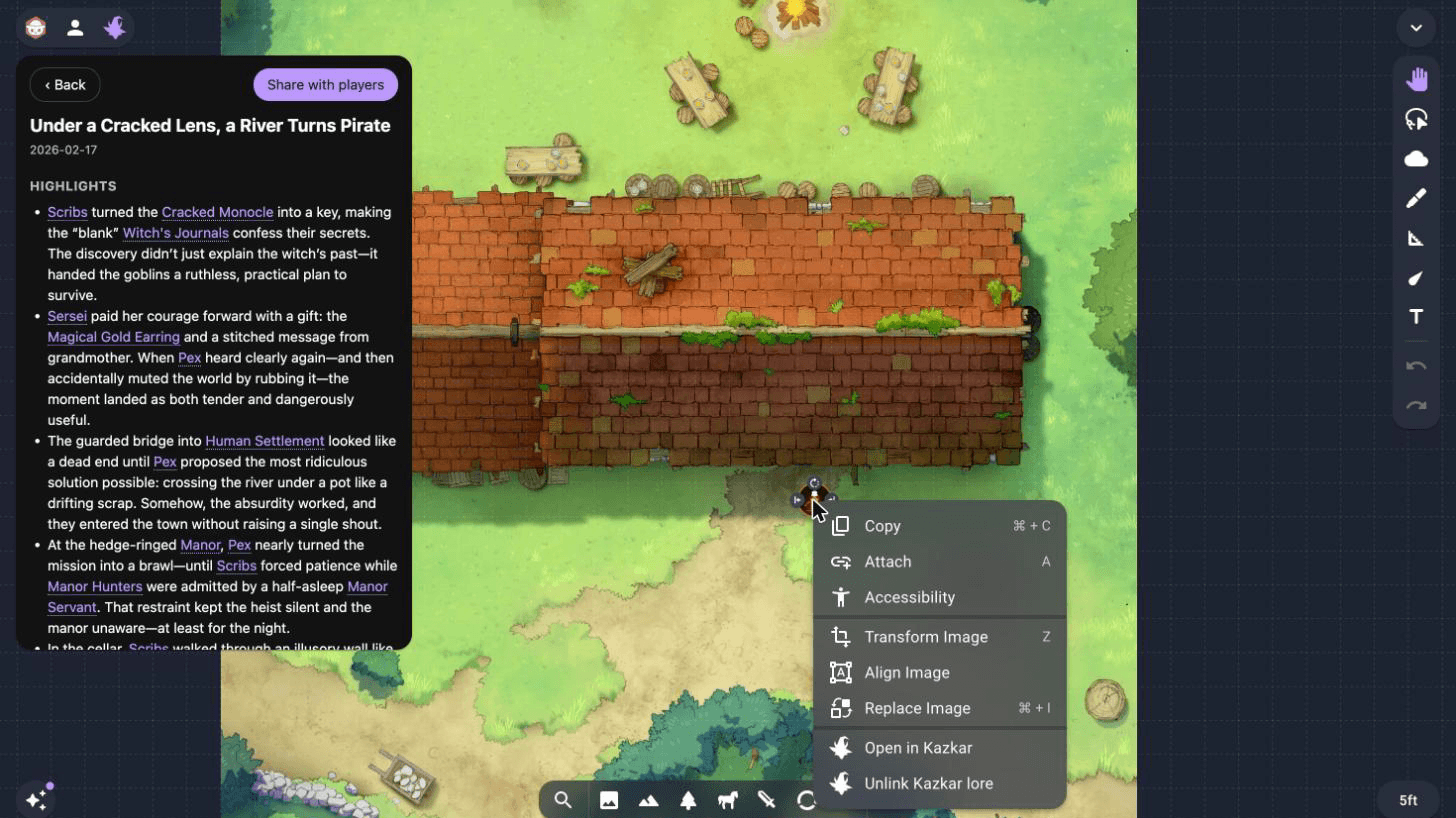
Kazkar records your sessions on Discord and writes the recap and the campaign wiki. The Owlbear Rodeo extension puts both in your room, next to the map:
- Sessions: every recap with highlights, the full chronicle, epilogue and open threads.
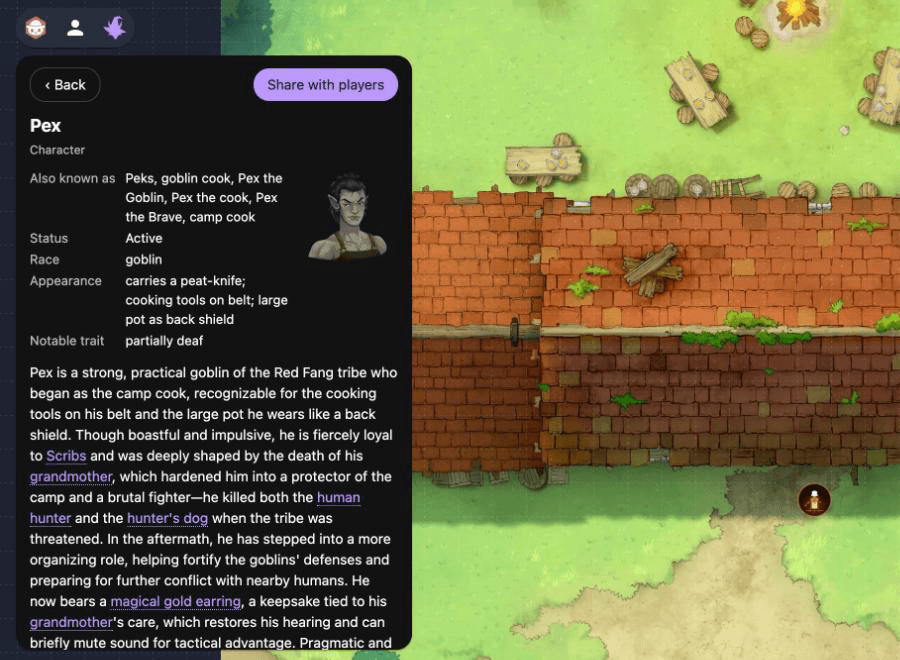
- Lore: search NPCs, places, items and factions, with portraits, relations and a timeline of the sessions they appeared in. Names in the text are links.
- Tokens: right-click a token and choose Link Kazkar lore. Next time, Open in Kazkar takes you straight to that NPC.
- Share with players: send a recap or an NPC to everyone in the room. Players see it in their Kazkar panel, no account needed.
Set it up
The extension needs a Kazkar Minimal, Plus or Guild plan (pricing). Players don't need an account.
- In your Owlbear Rodeo profile, open Extensions, press Add Custom Extension and paste this manifest URL:
https://kazkar.ai/owlbear/manifest.jsonThen turn Kazkar on in your room's extension settings. - Sign in to Kazkar, open Dashboard → Connections and choose Owlbear Rodeo under Connect an app. Copy the key it makes.
- In the room, open the Kazkar panel from the top-left toolbar and paste the key. Pick a campaign and you're set.
Only the GM needs a key. It is stored in the GM's browser and sent only to kazkar.ai. The Kazkar panel shows players only what the GM shares.
What gets shared
Nothing, until you press Share with players. A shared entry is saved in the room so players who join later can read it, shortened if it is very long. Stop sharing from the panel's menu. A token link saves the entry's name and id (and the campaign's id) on the token. Like everything on the map, that is synced to every player's browser, so don't link a disguised NPC to their true name if your players might go looking. See the privacy policy.
Remove it
Choose Disconnect in the panel's menu to forget the key, and revoke the key under Dashboard → Connections. To remove the extension, turn it off in the room's extension settings.
Keep campaign notes in Notion or Obsidian? Kazkar connects there too, from Dashboard → Connections. Questions: hello@kazkar.ai.